
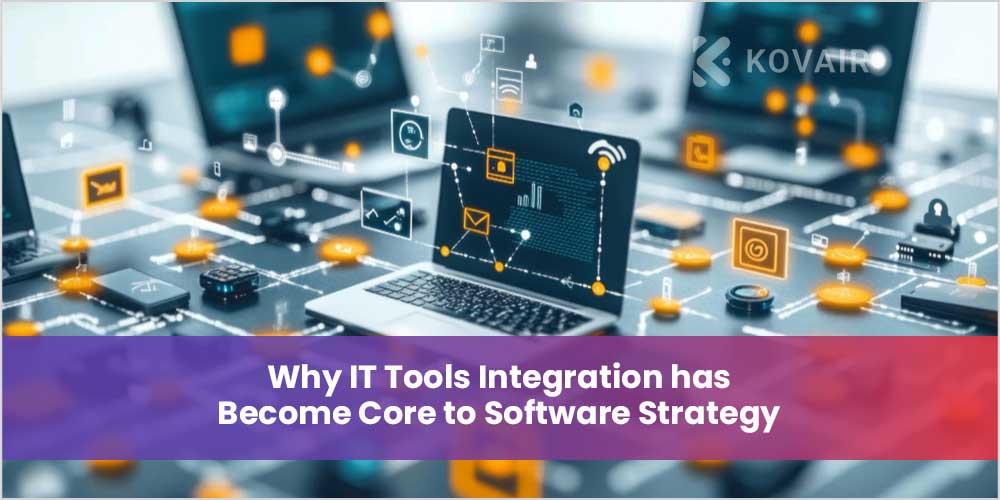
Back then, coding teams built only pieces inside one main program. Now, thinking like that doesn’t fit anymore. Companies run with webs of tools – CRMs, ERPs, HR apps, ad platforms, number-crunching screens, plus house-built systems they use every day. Alone, every single one of these setups falls short of what it could truly offer.
What really shapes this patchy terrain into a working online space? How things connect through technology makes a difference. Once systems share information on their own, less work gets repeated by people. Everything stays aligned across teams, not just because someone checks it all. Automation steps in where delays would otherwise happen. That shift cuts down effort while removing unnecessary expenses.
Built into core software from the start, integration helps systems do more than manage tasks – they adapt, evolve, grow.
The Cost of Ignoring Integration Early
Many companies delay integration planning until after the core system is built. At first, this seems faster. In reality, it creates long-term technical debt.
Late-stage integration often leads to:
- Expensive custom connectors
- Fragile workarounds and scripts
- Performance bottlenecks
- Security vulnerabilities
- Limited scalability
Starting off with integration makes software design simpler, less prone to hiccups, and easier to update later on down the line. When the company demands a shift, things tend to go more smoothly because of it.
How Disconnected Systems Hurt Business Performance
When tools are not linked, IT work drags behind. Other groups feel it too – sales find old details, finance sorts figures by hand, operations lose sight of what happens across tasks.
This fragmentation creates friction that compounds over time.
Operational Inefficiencies that Add Up
Small inefficiencies become large losses when repeated daily across teams.
Examples include:
- Re-entering the same customer data into multiple platforms
- Exporting spreadsheets to share information between departments
- Fixing reporting discrepancies caused by unsynced databases
- Delayed decision-making due to incomplete dashboards
These issues are rarely visible in isolation, but together they drain productivity and morale.
Customer Experience Suffers too
When backend systems aren’t integrated, customers feel the impact directly.
Common symptoms include:
- Inconsistent order or billing information
- Slow support responses due to missing data
- Repeated requests for the same information
- Errors in personalization or recommendations
Strong IT tools integration isn’t just a technical upgrade; it’s a customer experience investment.
Data Migration as the Silent Backbone of Transformation
Most people overlook how big a deal data migration really is. Instead of seeing it as just another code task, they act like fixing old systems means little more than flipping a switch – yet truth bends differently here. What looks simple at first carries weight far beyond what meets the eye.
Moving away from old tech, combining tools, or bringing in fresh business software – how stuff gets shifted – decides if people believe in the new setup right away.
Why Data Migration is More than a Technical Task
Data represents the institutional memory of an organization. It holds customer relationships, transaction histories, compliance records, and performance insights.
If migration goes wrong, the consequences are far-reaching:
- Inaccurate reporting that affects strategic decisions
- Compliance risks due to missing audit trails
- Lost customer trust due to incorrect records
- Delayed adoption of new systems
A well-executed migration, on the other hand, creates confidence, continuity, and momentum.
Situations that Trigger Major Migration Projects
Most migration initiatives are driven by major business changes, such as:
- Retiring outdated legacy platforms
- Shifting from on-premise infrastructure to the cloud
- Merging systems after acquisitions
- Launching a new custom-built core application
- Standardizing data across multiple business units
Every situation brings different dangers, needs, and schedules – so careful planning can’t be ignored.
Designing Software that Welcomes Future Integrations
The best software systems aren’t just functional, they’re adaptable. They anticipate future tools, data sources, and business models that don’t exist yet.
This adaptability starts at the architectural level.
Building Integration-Ready Foundations
Integration-friendly systems share a few defining traits:
- Clear API layers that expose core functionality
- Modular services that can evolve independently
- Loose coupling between components
- Standardized data formats and schemas
These design choices make it easier to connect new platforms, replace outdated tools, and scale operations without major rewrites.
The Role of Custom Cloud Application Development
Modern integration strategies increasingly rely on custom cloud application development. Cloud-native platforms provide the flexibility and infrastructure needed to support continuous integration growth.
Cloud-based systems offer:
- Elastic scalability for high data volumes
- Native integration tools and API gateways
- Built-in security and monitoring services
- Faster deployment and iteration cycles
Because of these traits, they work well as a base for lasting immigration and movement plans.
Choosing the Right Integration Model
One size never works for all companies. What counts is how well a method handles what you actually need – how tangled your systems are, whether speed matters now, or where you want to grow later.
Point-to-Point Integrations for Simplicity
A single app linking to another happens more in compact setups or fledgling networks.
They work well when:
- Only two or three systems need to exchange data
- Real-time communication is essential
- Business logic is simple
Even so, dealing with additional tools makes the basic system harder to manage and maintain over time.
Hub-and-Spoke Models for Growing Ecosystems
When things get intricate, an integration core steps in – one place where every system links through.
This approach:
- Simplifies data routing and transformation
- Centralizes monitoring and error handling
- Reduces direct dependencies between systems
- Supports more scalable growth
It’s commonly used in enterprises with diverse IT landscapes.
Preparing Data Before any Migration Starts
One of the biggest reasons migrations fail is poor data quality. Migrating flawed data only transfers problems into a new system.
What actually gets done often shows up first, during setup.
Assessing What Data Truly Matters
Not all existing data warrants being moved.
Preparation involves:
- Identifying duplicate and conflicting records
- Removing obsolete or unused information
- Fixing incomplete or inconsistent entries
- Standardizing formats across datasets
This reduces both migration risk and long-term maintenance costs.
Creating Clear Data Ownership Rules
Data governance becomes critical during migration.
This includes:
- Assigning owners for each data domain
- Defining validation and approval workflows
- Documenting naming conventions and standards
- Setting security and access rules
Good rules help systems last, even when results seem small at first.
Executing a Controlled Migration Process
After cleaning and mapping data, things get tricky during rollout. Rushing through changes – or lining them up wrong – can stop daily work dead. Trust in the updated setup might take a hit, too.
Phased vs. One-Time Migration Approaches
Two main strategies dominate migration projects.
First comes a split, where information flows piece by piece. This way, people can check findings early. Problems get fixed before they grow large. Systems stay up longer, since changes do not happen all at once.
All data moves in a single rush job, happening during planned shutdowns.
Starting small helps when things are really important.
Validating Data After Transfer
Post-migration validation ensures accuracy and completeness.
This involves:
- Comparing record counts between systems
- Spot-checking critical data fields
- Verifying relationships between records
- Testing business workflows end-to-end
Validation is not optional; it’s the safeguard that protects business continuity.
How AI is Reshaping Integration and Migration
Handling moves and shifts by hand tends to drag, stumble on mistakes, while needing too much effort. Here comes AI-powered help – changing how we see results.
Now, picture machines handling jobs that used to need dozens of people. Tasks gain automation, smart thinking, and forecasts through artificial intelligence.
Smarter Integration with AI
AI-powered integration tools can:
- Detect data anomalies in real time
- Predict performance bottlenecks
- Automatically reroute failed transactions
- Suggest workflow optimizations
- Monitor data synchronization accuracy
This leads to more stable and self-healing integration environments.
Safer and Faster Migrations Using AI
In migration projects, AI helps by:
- Identifying corrupted or duplicate records
- Automating data normalization
- Predicting high-risk migration segments
- Validating migrated data against business rules
- Reducing human review workloads
Using AI integration services helps lower risks while speeding up projects. Over time, this method also enhances how well data stays accurate and reliable.
Security as a First-Class Design Requirement
Each integration point and data transfer route carries hidden risks. Left unprotected, companies face attacks, run into regulations, yet suffer public trust losses, too.
Right off, security needs to be part of how integrations and migrations are handled.
Protecting Data in Motion and at Rest
Core security practices include:
- Encrypting all data in transit and at rest
- Using role-based access controls
- Implementing API authentication and rate limiting
- Logging and auditing all data movements
- Running regular vulnerability assessments
A security-first mindset protects both systems and stakeholders.
The Cloud Advantage in Large-Scale Projects
Nowadays, companies do not face stiff local infrastructure setups anymore. With cloud-based services handling tasks, adaptability replaces fixed boundaries. Integration efforts feel lighter because access comes through connected networks instead.
Why Cloud Platforms Simplify Integration
Cloud-based systems provide:
- Built-in API management tools
- Auto-scaling for high data volumes
- Native monitoring and alerting services
- Easier connectivity with SaaS platforms
- Lower infrastructure maintenance overhead
This makes custom cloud application development a strategic enabler for modern integration efforts.
Cloud Benefits for High-Volume Data Migration
For migration projects, cloud platforms offer:
- High-speed data transfer services
- Automated backup and rollback options
- Flexible storage for temporary datasets
- Real-time migration dashboards
- Disaster recovery capabilities
These features significantly reduce operational risk during major system transitions.
Measuring Business Impact After Go-Live
Technical completion is not the same as business success. The real value of integration and migration appears only after systems go live.
Metrics that Reflect Real Success
Effective projects result in:
- Faster business workflows
- Reduced manual effort
- Higher data accuracy
- Better reporting and analytics
- Improved customer experiences
- Lower IT maintenance costs
- Greater system scalability
Ongoing monitoring and optimization ensure these benefits continue to grow over time.
Building a Digital Core that Can Evolve
Nowhere is change more urgent than in how systems connect. Tools once added later now shape the base work of building new software. Moving data around cannot wait. Its role has grown essential.
Out in the field, building tools that fit together makes a difference. When companies put resources into tailored cloud solutions, something shifts. Tossing in artificial intelligence links helps, too. These moves stack up – systems grow, shift, respond as work changes.
What comes out isn’t only sharper software – it’s also a tougher, sharper, more aware digital base ready for what lies ahead.


Piyush Chauhan

Piyush Chauhan, CEO and Founder of EncodeDots, is a visionary leader transforming the digital landscape with innovative web and mobile app solutions for startups and enterprises. With a focus on strategic planning, operational excellence, and seamless project execution, he delivers cutting-edge solutions that empower businesses to thrive in a competitive market while fostering long-term growth and success.